Actions
Bug #2821
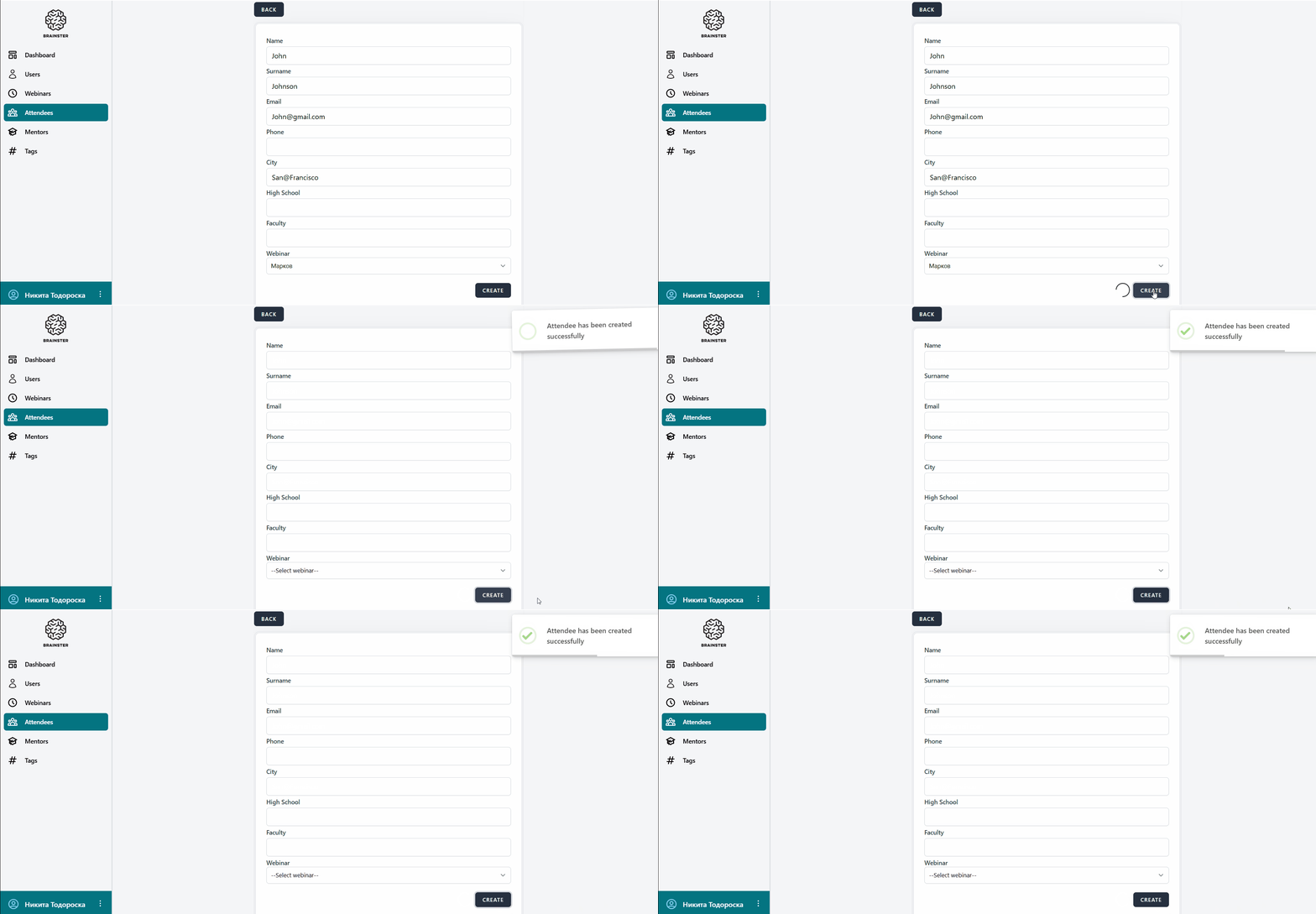
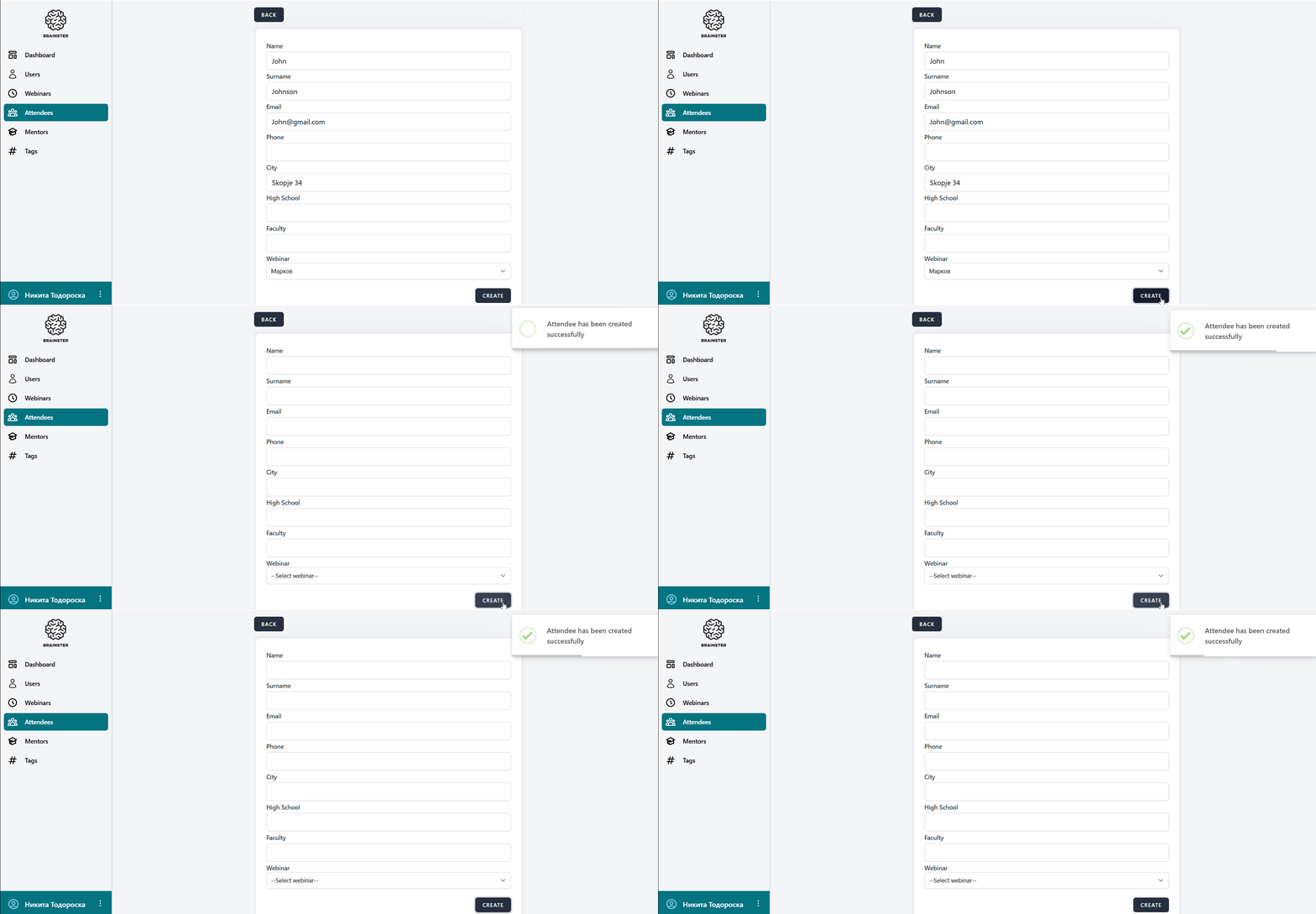
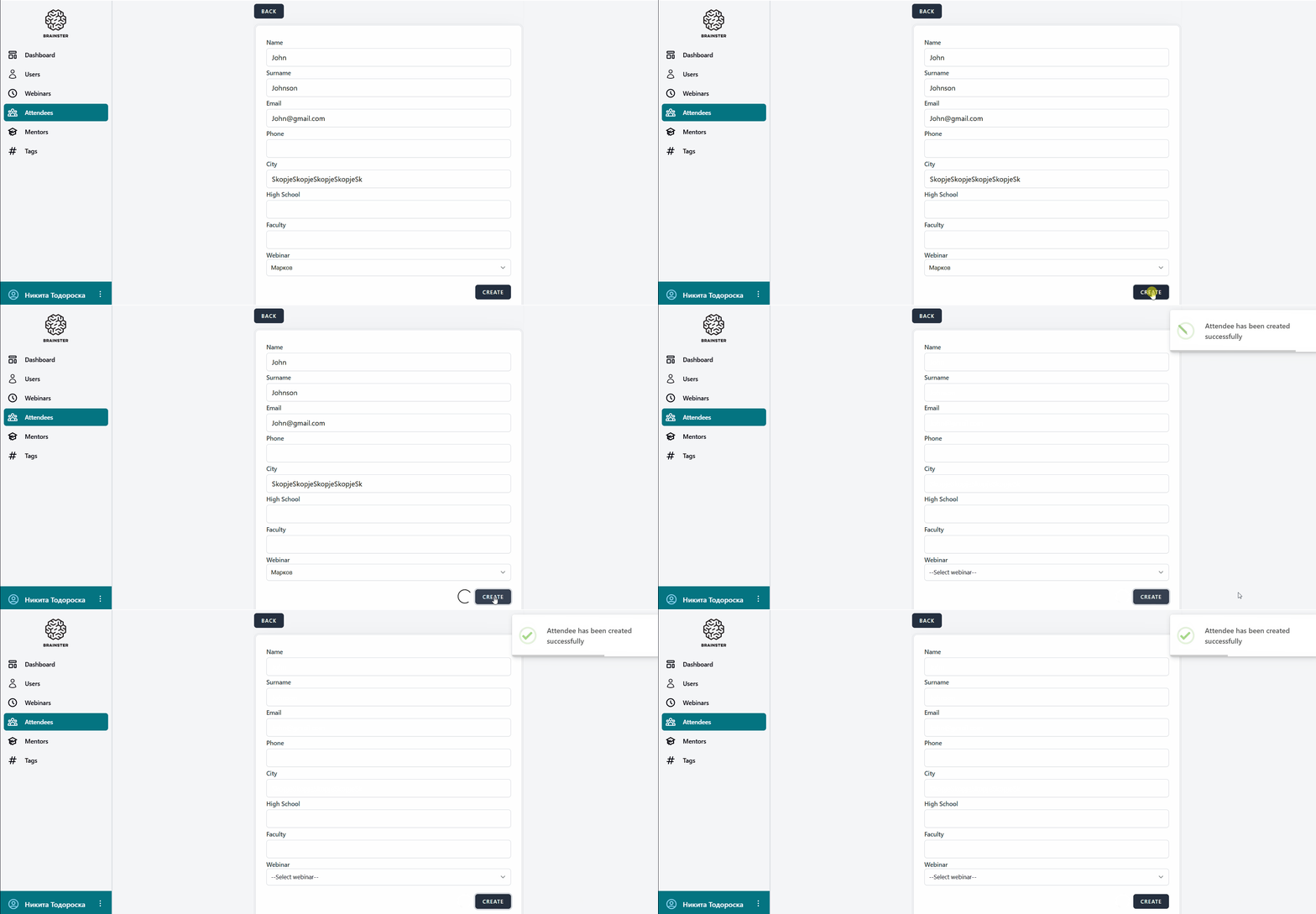
open[Attendees] The system allows an attendee to be created with entering invalid data in "City" field
Start date:
12/17/2024
Due date:
% Done:
0%
Estimated time:
Severity:
Moderate
Description
An attendee has been created with a "CITY" field filled with data that does not meet the criteria, including special characters that are not specified and with less than 3 and more than 25 characters.
Environment:
"test
https://qainterrapt.brainster.xyz/login
PC/ Windows10 Version 22H2/ Google Chrome Version 131.0.6778.140 (Official Build) (64-bit)
Mobile device/ Iphone X/iOs 16.7.10/Safari Version 16"
- Log in to the system.
- Navigate to the "Attendees" page.
- Click on the "CREATE" button.
- Fill the "Name" field
- Fill the "Surname" field
- Fill the "E-mail" field
- Fill the "City" field with more than 25 characters and special characters that are not specified in the acceptance criteria.[e.g. SkopjeSkopjeSkopjeSkopje1@]
- Select a webinar from the "Webinar" dropdown list
- Click on the "CREATE" button.
- Repeat steps by entering less than 3 characters in step 7
Expected Result:
The "CITY" input field should not be accepted and an attendee should not be created.
Actual Result:
The system allows an attendee to be created with a "CITY" field that exceeds the character limit and contains special characters that are not allowed.
Files
Actions