Actions
Improvement #2837
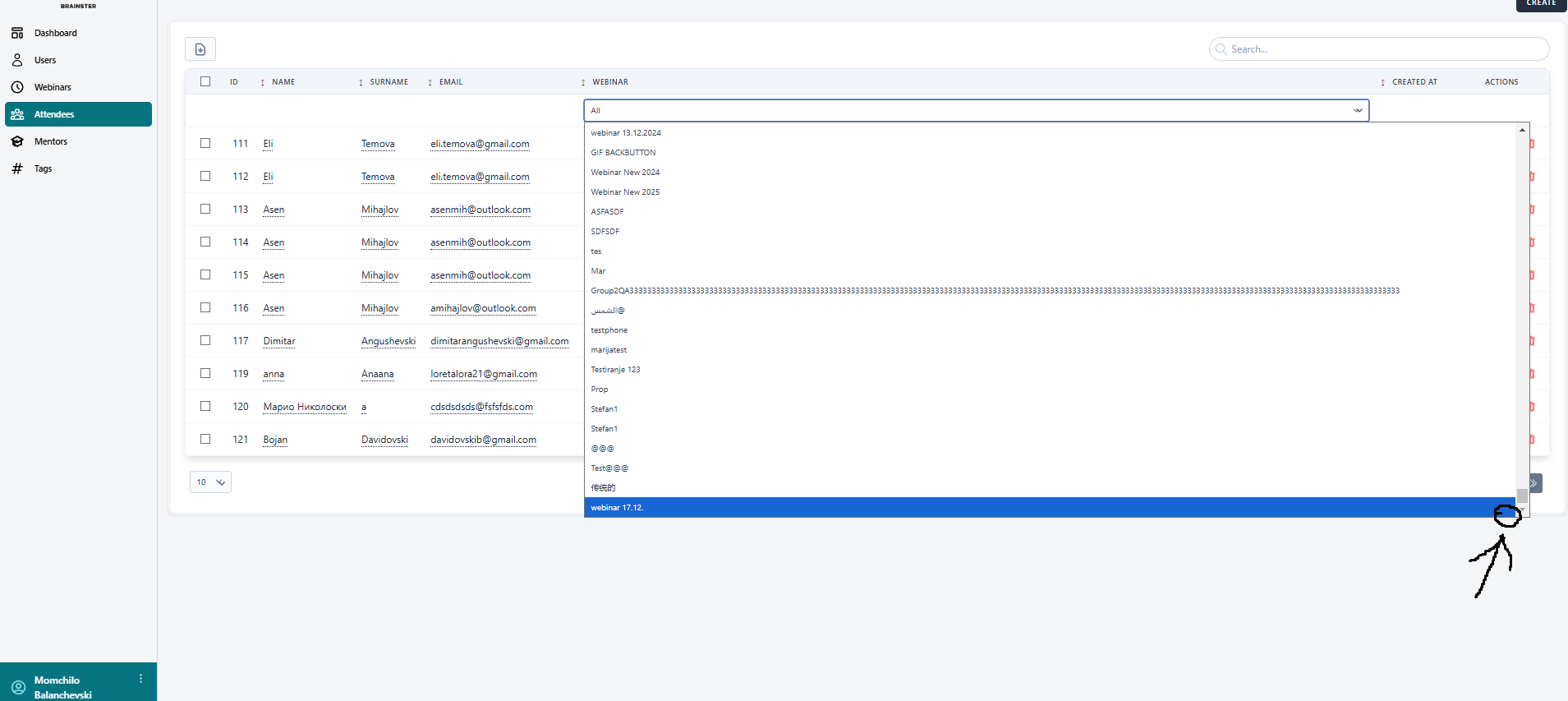
open[Attendees]When user scroll down in "Webinars" in drop down list , the button should be placed and the user should go to the top of scroll list
Start date:
12/17/2024
Due date:
% Done:
0%
Estimated time:
Description
The user should be able to click the button and from the bottom of the webinars drop down list will go to top of the list
Environment:
Navigate to :https://qainterrapt.brainster.xyz/login
Pc :Windows 10 Pro ,version :22H2
Xiaomi MI11 lite 5G- Google Chrome 131.0.6778.135 , Android 13
- Log in to the system
- Navigate to the Atendees
- Click to Webinar drop down list
- Scroll down
- Observe the Webinar drop down list
Expected Result:
When the user scroll down in the webinar drop down list , back button should be shown and when button is clicked the user can go to top of the drop down list
Actual Result
When user click on drop down menu in webinars and scrolll down , back button wont be showed
Files
Actions