Actions
Bug #2856
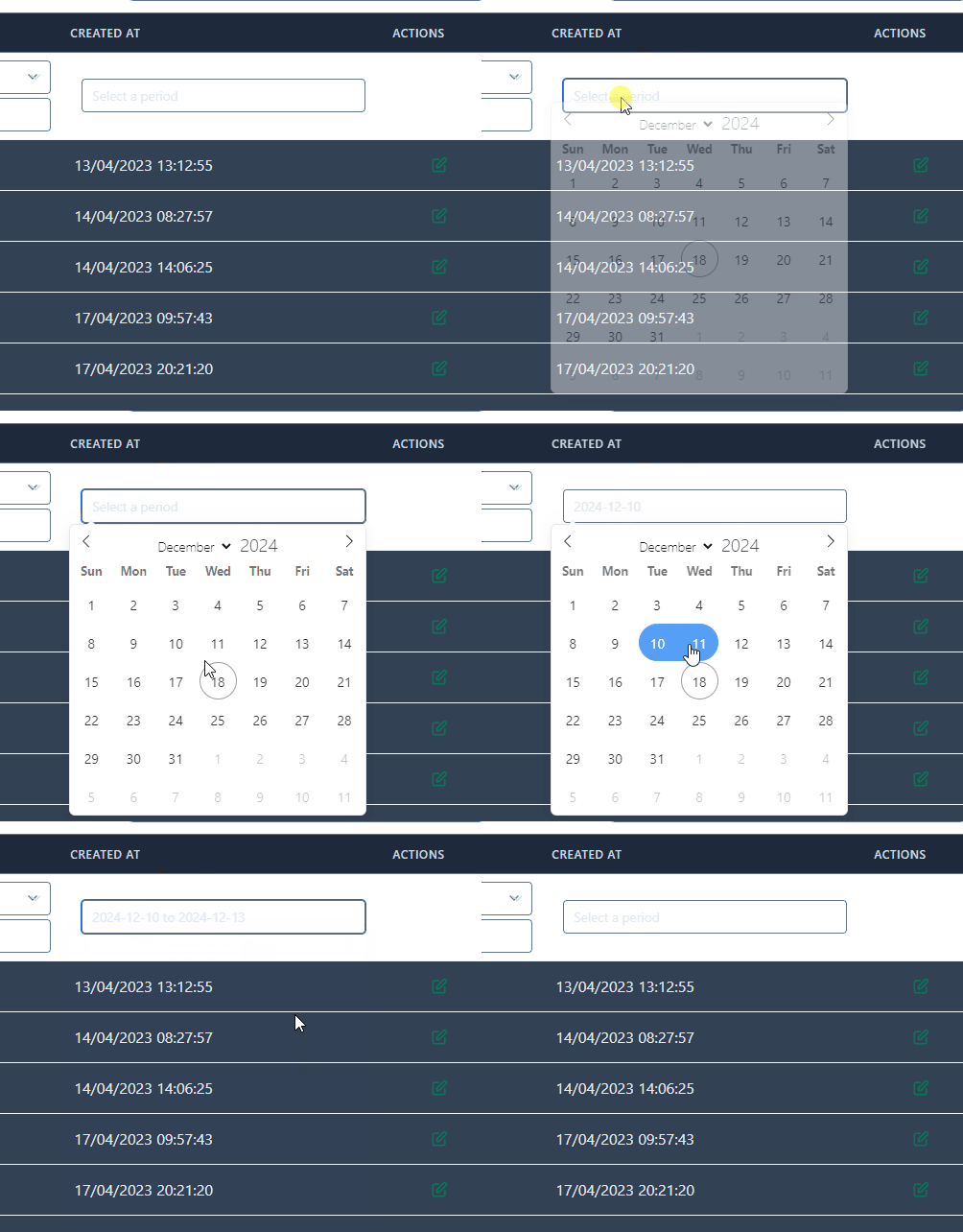
open[Users] Clicking the "Select a period" button and choosing a date does not display the selected dates.
Start date:
12/18/2024
Due date:
% Done:
0%
Estimated time:
Severity:
Moderate
Description
When the "Select a period" button is clicked and a date is chosen, the selected dates are not shown to the user.
Environment
https://qainterrapt.brainster.xyz/login
OS: Windows 10 Home v22H2
Brave Browser / v1.73.101
Safari / iOS 18.2
- Login to the system.
- Navigate to the "Users" tab.
- Click on the "Select a period" dropdown.
- Select dates by choice.
- Observe.
Expected Result
User should be presented all the "Users" that are created between the chosen period.
Actual Result
User is presented wrong period of time, still sees all of the Users.
Files
Actions