Bug #2897
open
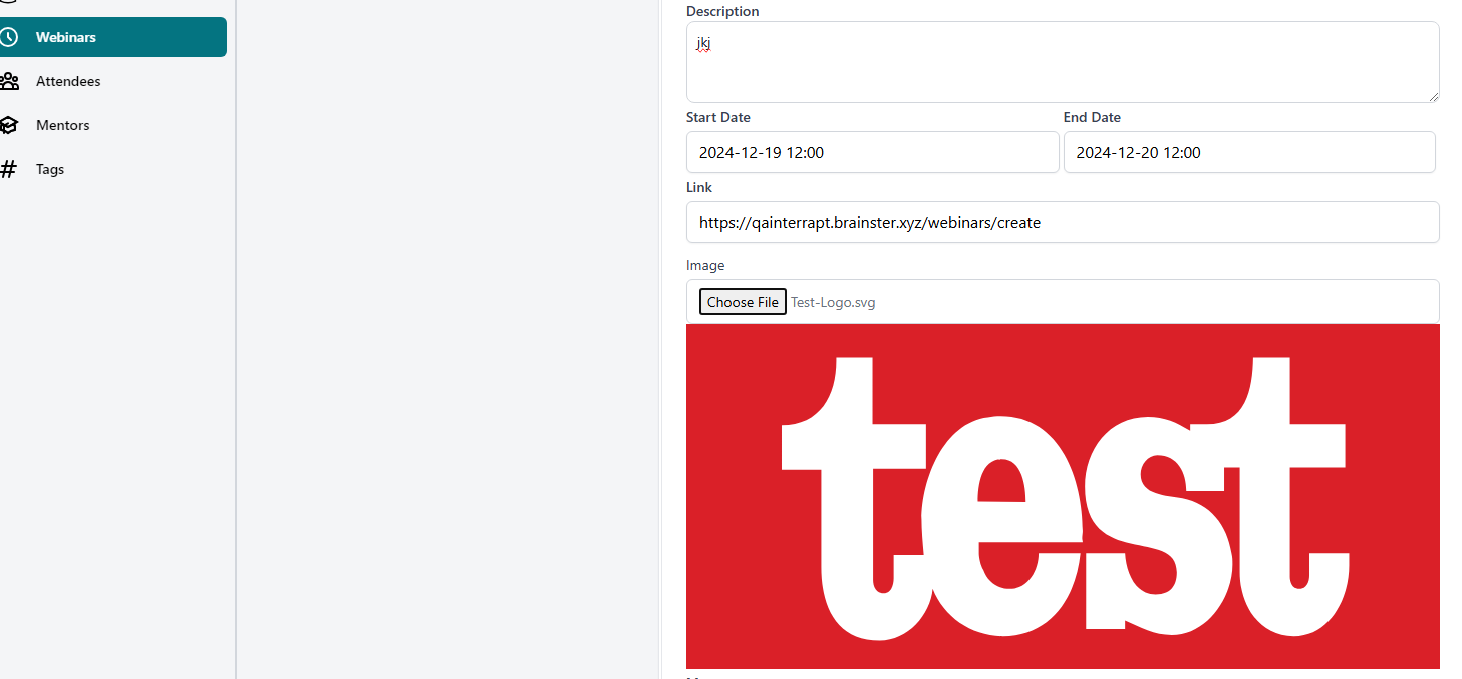
(Webinars ) The Image field can support another file formats except JPG,PNG,GIF for ex. SVG
Added by Zlatko A over 1 year ago.
Updated over 1 year ago.
Description
Enviromnet:
https://qainterrapt.brainster.xyz
Browser: Google Chrome Version 131.0.6778.139 (Official Build) (64-bit)
Description:
User is able to create webinar when uploading other picture formats except JPG,PNG,GIF
Steps to reproduce:
1. Log in to the system using valid credentials.
2. Navigate to the "Create Webinar" page.
3. Fill in all required webinar details (title, description, date, and time)
4. Upload an image with file format SVG
5. Click the "Create" button
Expected results:
User should be not able to upload images with other file formats
Actual resluts:
The user can upload images in other file formats
Files
- Subject changed from (Webinars ) The Image field can support another file formats except JPG,PNG,GIF ex. SVG to (Webinars ) The Image field can support another file formats except JPG,PNG,GIF for ex. SVG
Zlatko A wrote:
Enviromnet:
https://qainterrapt.brainster.xyz
Browser: Google Chrome Version 131.0.6778.139 (Official Build) (64-bit)
Description:
User is able to create webinar when uploading other picture formats other then JPG,PNG,GIF
Steps to reproduce:
1. Log in to the system using valid credentials.
2. Navigate to the "Create Webinar" page.
3. Fill in all required webinar details (title, description, date, and time)
4. Upload an image with file format SVG
5. Click the "Create" button
Expected results:
User should be not able to upload images with other file formats
Actual resluts:
The user can upload images in other file formats
Zlatko A wrote:
Enviromnet:
https://qainterrapt.brainster.xyz
Browser: Google Chrome Version 131.0.6778.139 (Official Build) (64-bit)
Description:
User is able to create webinar when uploading other picture formats except JPG,PNG,GIF
Steps to reproduce:
1. Log in to the system using valid credentials.
2. Navigate to the "Create Webinar" page.
3. Fill in all required webinar details (title, description, date and time,link,mentor ,tag)
4. Upload an image with file format SVG
5. Click the "Create" button
6.Observe
Expected results:
User should be not able to upload images with other file formats
Actual results:
The user can upload images in other file formatsex .SVG,.webp
Also available in: Atom
PDF