Actions
Bug #2930
open[Attendees] User is able to edit an attendee with invalid data in the "Name" input field
Start date:
12/18/2024
Due date:
% Done:
0%
Estimated time:
Severity:
Moderate
Description
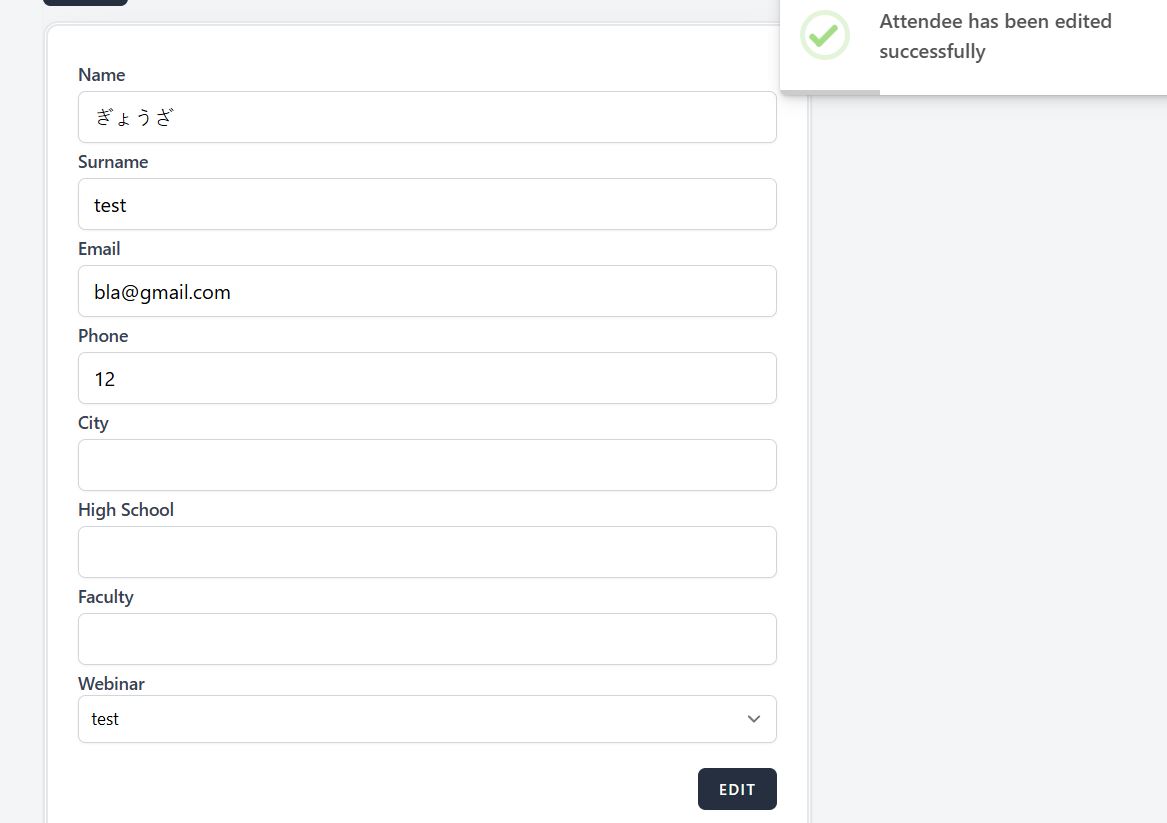
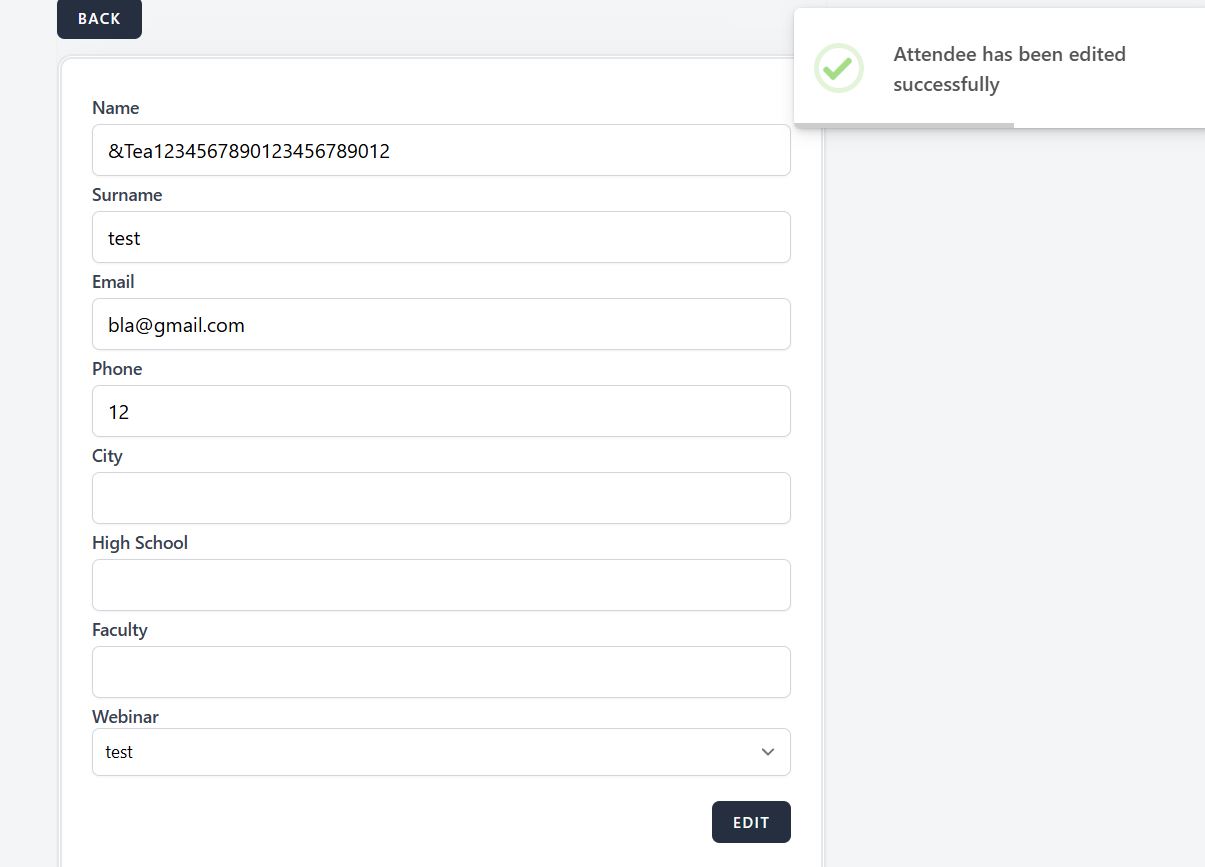
The user can enter invalid data(Japanese alphabet, length more than 25 characters, special characters other than “-” and “.”, numbers) in the "Name" input field.
Environment
PC / Windows 10 Pro V. 22H2 /Google Chrome Version 131.0.6778.140
https://qainterrapt.brainster.xyz/login
- Log in to the system
- Navigate to the "Attendees" page
- Select "Edit" icon button, next to the attendee
- Enter invalid data in the "Name" input field(e.g. ぎょうざ, &Tea1234567890123456789012)
- Click on the "Edit" button to save changes
- Observe the behavior of the page
Expected result
The system should not allow an attendee to be edited with invalid data entered into the "Name" input field. A message should be shown that the name field is required in red letters.
Actual result
The system allows an attendee to be edited with invalid data entered into the "Name" input field. A validation message appears.
Files
Actions