Bug #2998
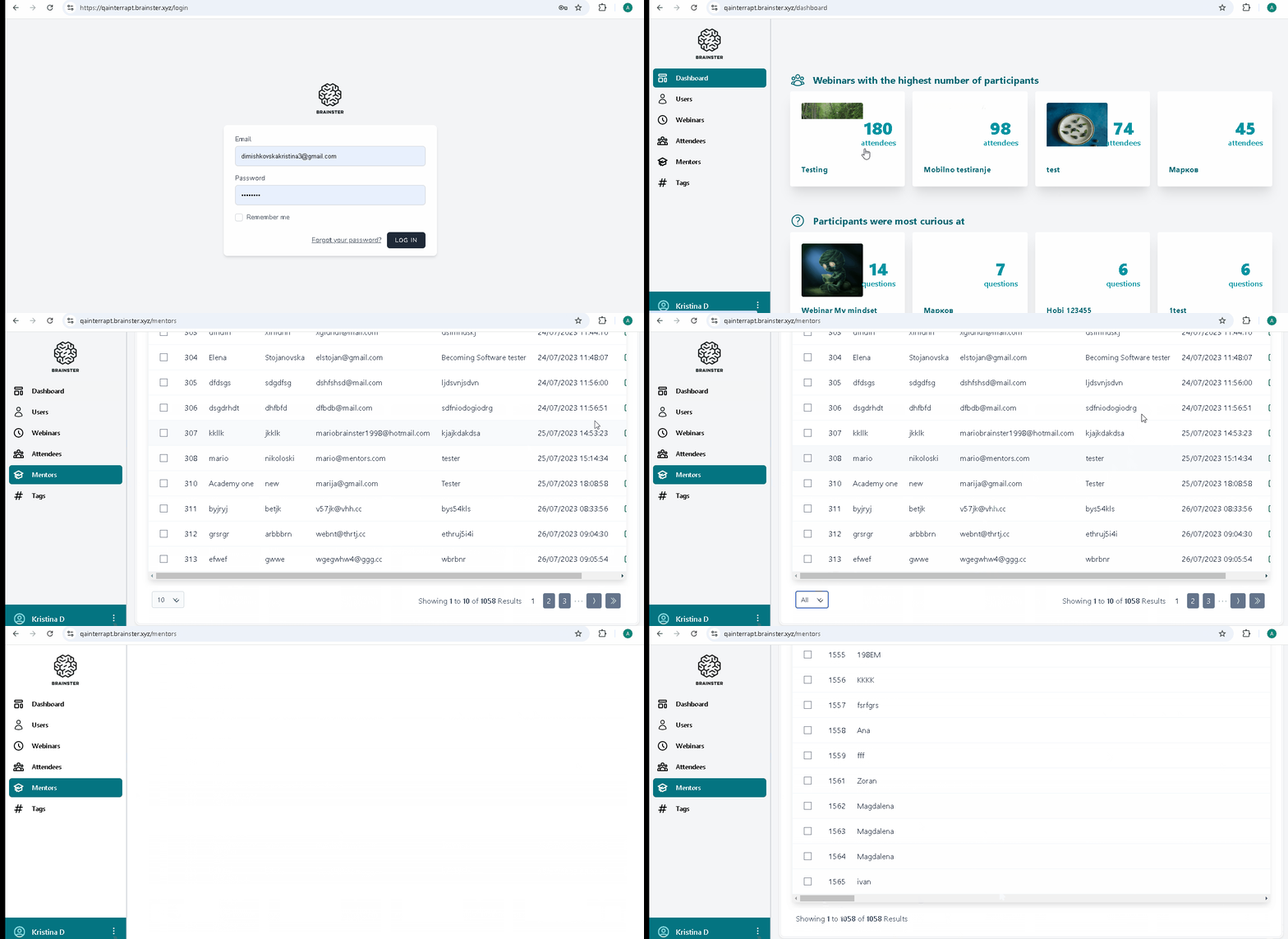
open[Mentors] After selecting the "All" option from the dropdown list, the user is unable to select any other option (10, 25, 50, 100).
0%
Description
Environment:
"https://qainterrapt.brainster.xyz/login"
Browser:
PC/Microsoft Windows 11 V. 23H2 (OS Build 22631.4460)/ Version 131.0.6778.86 (official Build) (64-bit)
PC/Microsoft Windows 11 V. 23H2 (OS Build 22631.4460)/ Version 131.0.2903.70 (official Build) (64-bit)
Apple iPhone 14 pro/ iOS Version 18.1.1 (22B91)/ Safari 18.1 on iOS 18.1 (24-bit)
Pre-conditions:
The user is logged in as a regular user on the "Mentors" page, with mentor records displayed.
Steps to reproduce:
1.Click on the "Mentors" menu.
2.Click on the dropdown list.
3.Select the "All" option from the dropdown list.
4. Scroll to the bottom of the list.
5.Observe that no other options (10, 25, 50, 100) are available for selection.
Expected Result:
The user should be able to click and select any option (10, 25, 50, 100) from the dropdown list after selecting "All".
Actual Result:
After selecting "All", the user is unable to click or select any other option (10, 25, 50, 100) from the dropdown list.
Files