Bug #3001
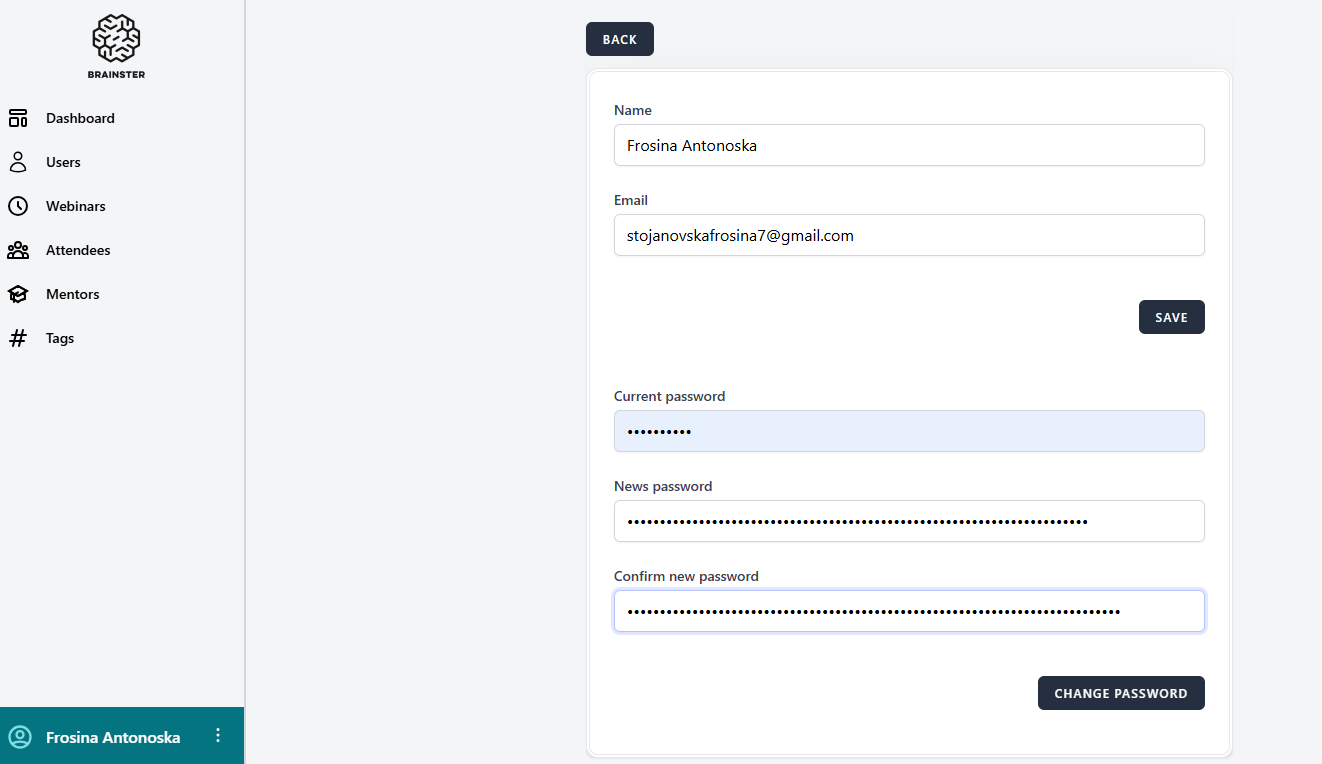
open[Users profile] The "Password" field allows more than 30 characters
0%
Description
Environment
https://qainterrapt.brainster.xyz/login
OS Name: Microsoft Windows 10 Pro
Browser: Google Chrome
Version 131.0.6778.139 (Official Build) (64-bit)
Browser Microsoft Edge
Version 131.0.2903.99 (Official build) (64-bit)
Huawei P smart 2021
Version: 10.1.1.270(C432E4R4P1)
Browser: Google Chrome
Description
The Password field does not restrict input to the expected maximum of 30 characters and allows passwords longer than 30 characters.
Steps to reproduce
1. Log in to the Interapt
2. Navigate to the profile button
3.Choose "Your profile" from given options
4.Edit the Password field and input a password with more than 30 characters (e.g., "123456789123456789123456789123456789").
5.Save the changes.
Expected Result
The Password field should restrict input to a maximum of 30 characters.
Actual Result
The Password field allows input more than 30 characters.
Files