Actions
Bug #3045
open[Tags] User can create new tags with inserting invalid data in the 'Title' field
Start date:
06/10/2025
Due date:
% Done:
0%
Estimated time:
Description
Environment
Google Chrome Version 137.0.7151.69 (Official Build) (64-bit)
Windows 11 Pro
https://qainterrapt.brainster.xyz/login
- The user must be logged in
- Click on the 'Tags' via navigation menu
- Click on the 'Create' button
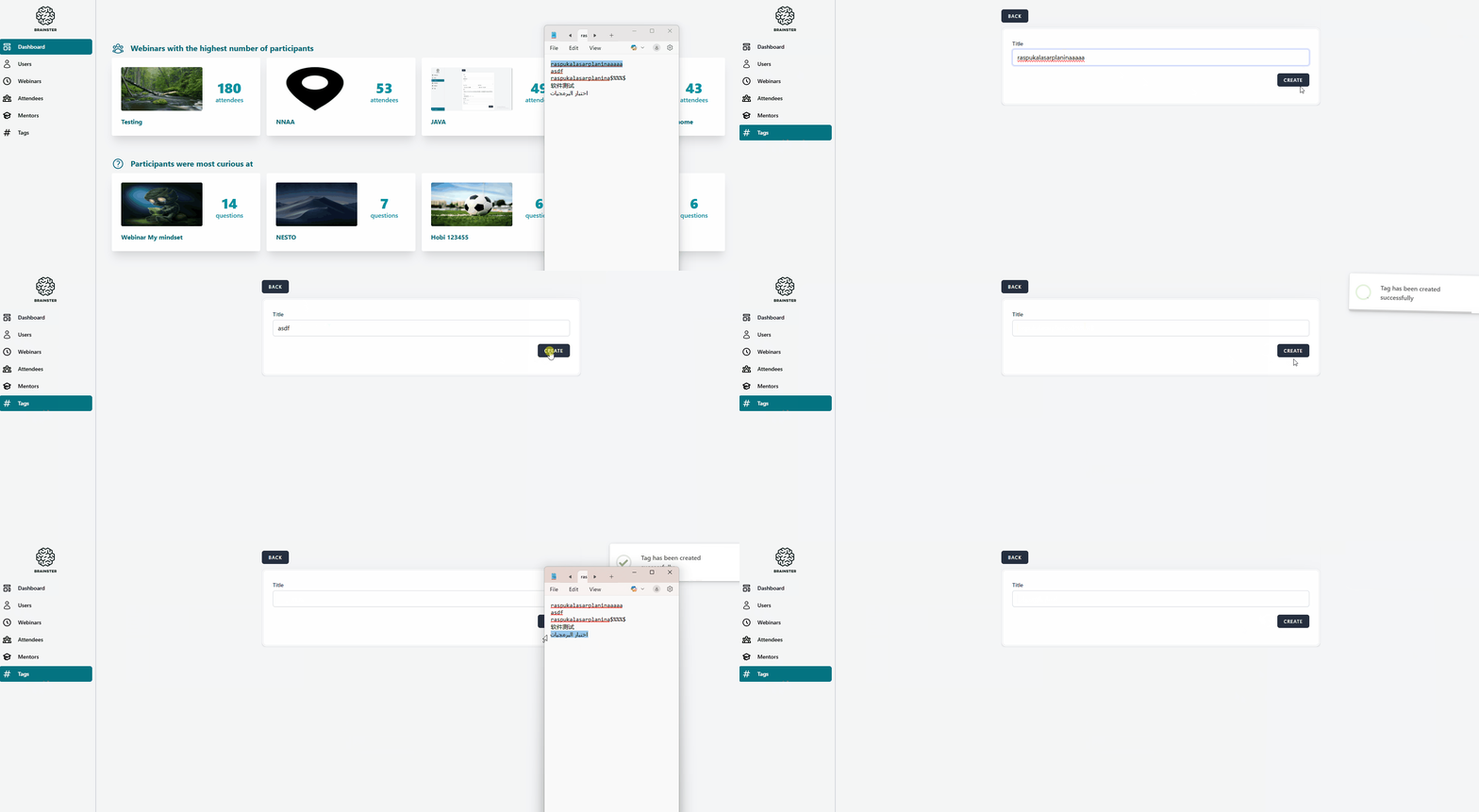
- Insert invalid data in the 'Title' field (e.g.raspukalasarplaninaaaaa, asdf, raspukalasarplanina$%%%$, 软件测试, اختبار البرمجيات)
- Click the 'Create' button
- Observe the folowing actions
The tag should not be created and a message should be shown that the title field is required in red letters. The title field should only accept:
- Alphabetic characters (both, Latin and Cyrillic)
- All letter cases (lower and upper)
- Special characters (only “-”, and “ . ”) and spaces
- Inserted data should be minimum 5 and maximum 20 characters in length.
Actual result
The 'Tittle' field accepts data with less than 5 and more than 20 characters in length, special characters that not matching the folowing requirenments, characters writen with both Chinese and Arabic alphabet, and when clicking the 'Create' button a message 'Tag has been created succesfully' appears.
Files
Updated by Jane G about 1 year ago
- Subject changed from [Tags] User can create new tags with data not matching the given criteria to [Tags] User can create new tags with invalid data
Updated by Jane G about 1 year ago
- Subject changed from [Tags] User can create new tags with invalid data to [Tags] User can create new tags with inserting invalid data in the 'Title' field
- Description updated (diff)
Actions