Actions
Bug #3061
open[Attendees] Admin can register an attendee with invalid city data
Start date:
06/11/2025
Due date:
% Done:
0%
Estimated time:
Description
Description
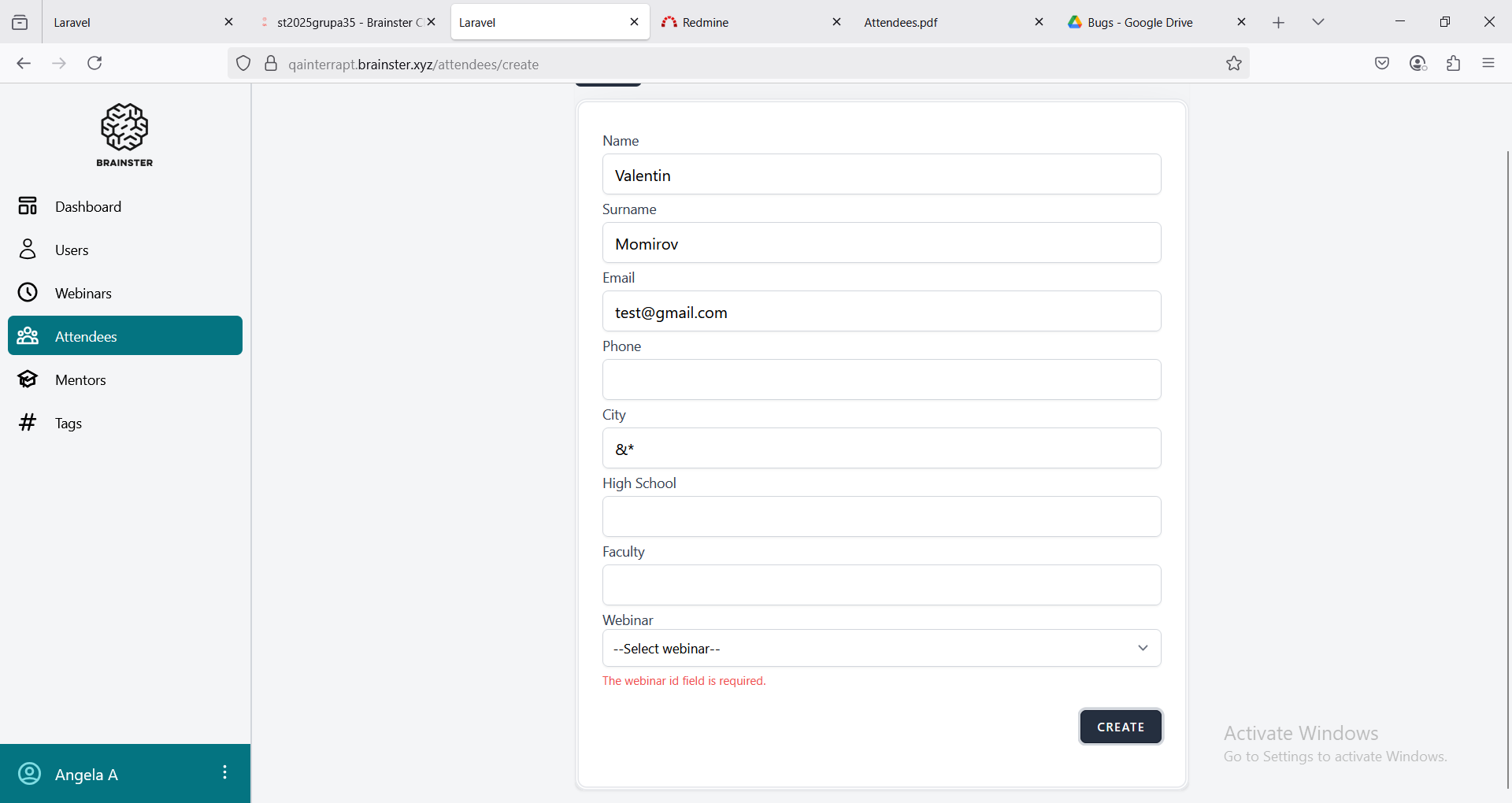
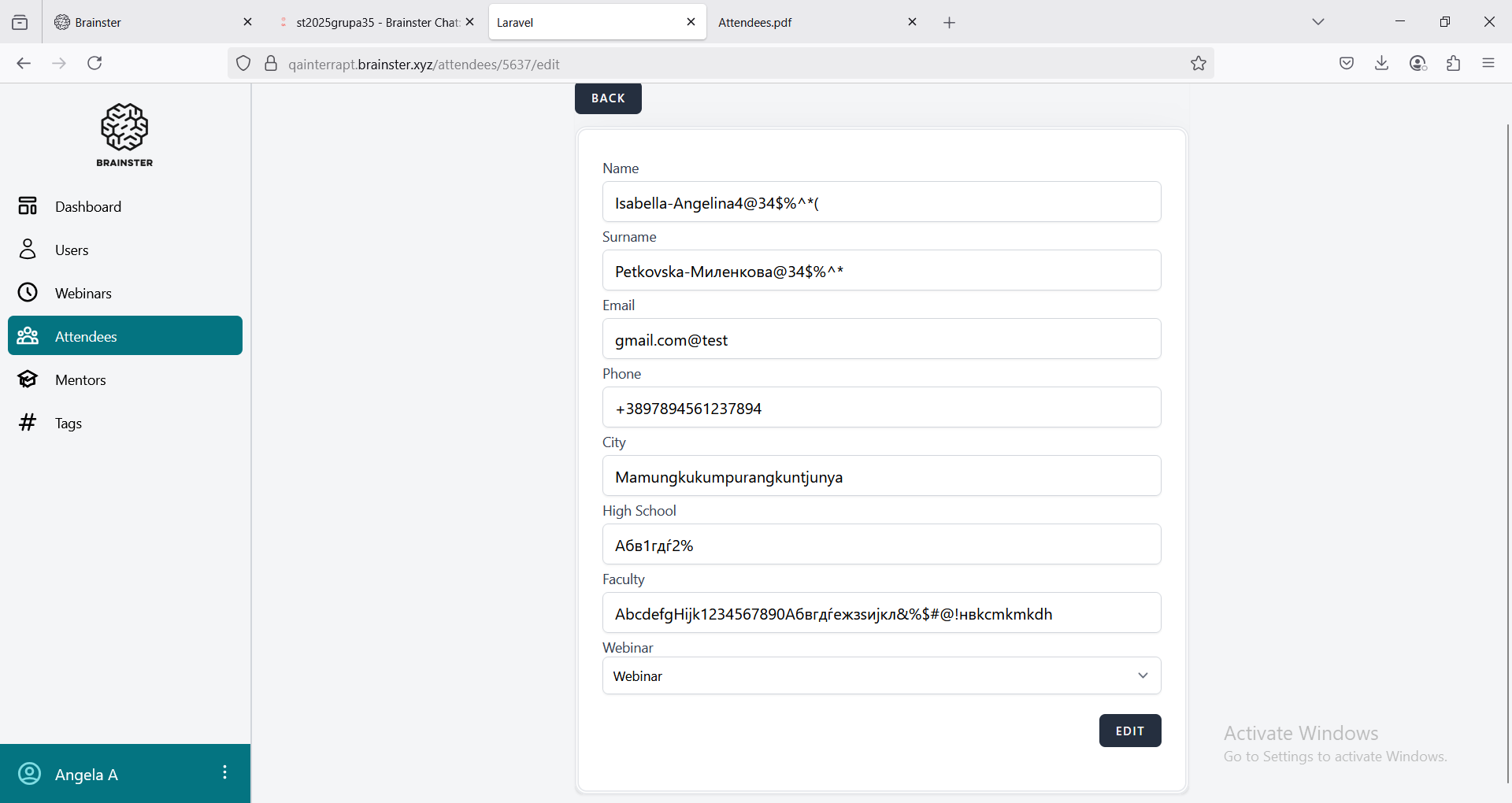
The system allows the admin to register an attendee with a city data which does not match the requirements. The 'City' field accepts invalid special characters and less than 3 and more than 25 characters in length (&* and Mamungkukumpurangkuntjunya)
Environment
OS Windows 11 Pro Version 24H2
Firefox 139.0.1 (64-Bit)
https://qainterrapt.brainster.xyz/attendees
Precondition
User must be logged in as admin
- Login to the system
- Navigate to the 'Attendees' page
- Click the 'Create' button
- Fill in the 'Name' field with valid data
- Fill in the 'Surname' field with valid data
- Fill in the 'Email' field with valid data
- Fill in the 'Phone' field with valid data
- Fill in the 'City' field with invalid data
- Fill in the 'High School' field with valid data
- Fill in the 'Faculty' field with valid data
- Select a webinar from the 'Webinar' drop-down menu
- Click the 'CREATE' button
- Observe if a new attendee is created
Expected result
The attendee should not be created and an error message should appear
Actual result
The system accepts invalid city data and registers an attendee
Files
Actions