Bug #385
openUser is able to enter ivalid image format/size on the ‘Image’ input field
0%
Description
Environment: - Version of OS – iOS 16.5
- Browser – Google Chrome Version 113.0.5672.127 (Official Build)
- Device: Iphone 12 pro
Preconditions: - Navigate to: https://qainterrapt.brainster.xyz/login
- The user must have registrated account as admin user
- The user must be logged in
Steps to reproduce: 1. Click on hamburger menu displayed on the top left side of the main page.
2. Hover the Webinars field and click on 'Webinars'.
3. Click on 'CREATE' pill button displayed on the right top side of the Webinars main page.
4. Fill in create new 'Webinars' form with valid credentials for 'Title', 'Description', 'Start/End Date', 'Link', 'Mentors', 'Tag'.
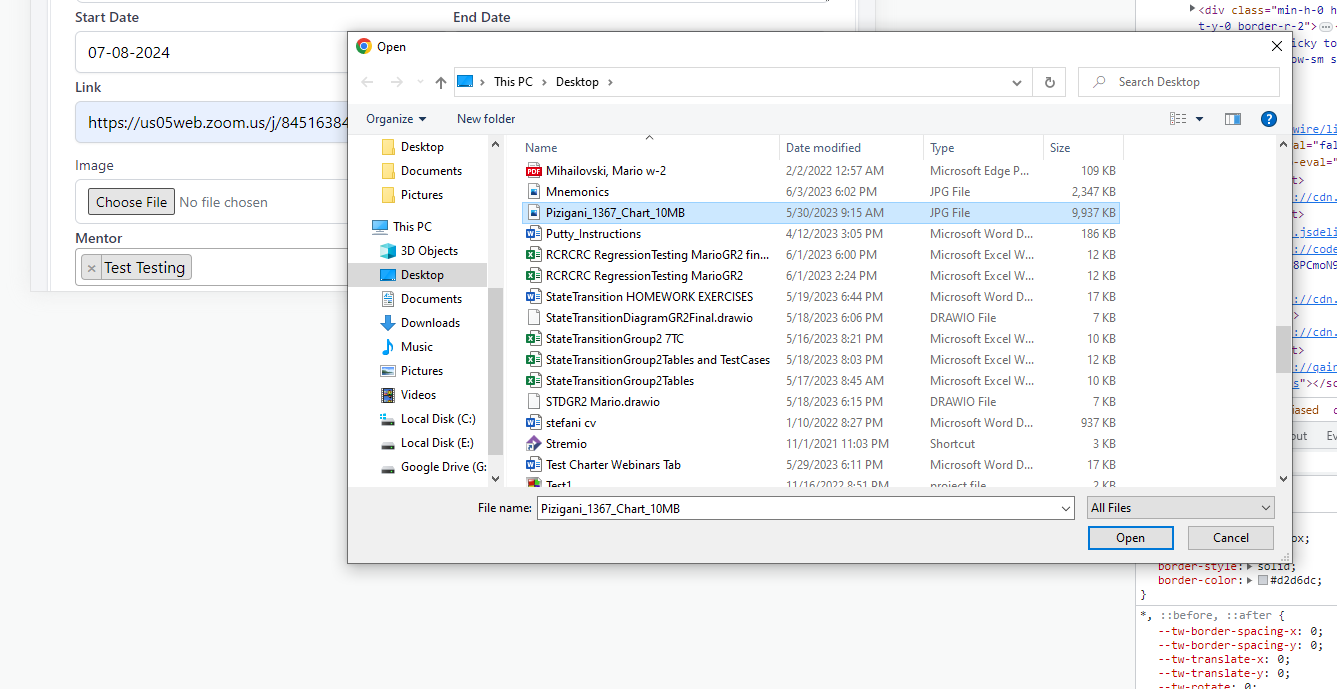
5. On 'Image' input field click on 'Choose File' and choose invalid image format/size
6. Click on 'CREATE' button displayed on the bottom right side of the form.
Expeected results:
-User is able to create new Webinar, when for 'Image' input field upload accepted file formats specified as JPEG, PNG, and GIF, and the maximum file size allowed is 5 MB. The minimum and maximum image dimensions are also specified as 200 x 200 pixels and 1000 x 1000 pixels respectively.
Actual results:
-User is created, with entered invalid size image of 10 MB with dimensions: 10315 x 7049.
Files