Actions
Bug #423
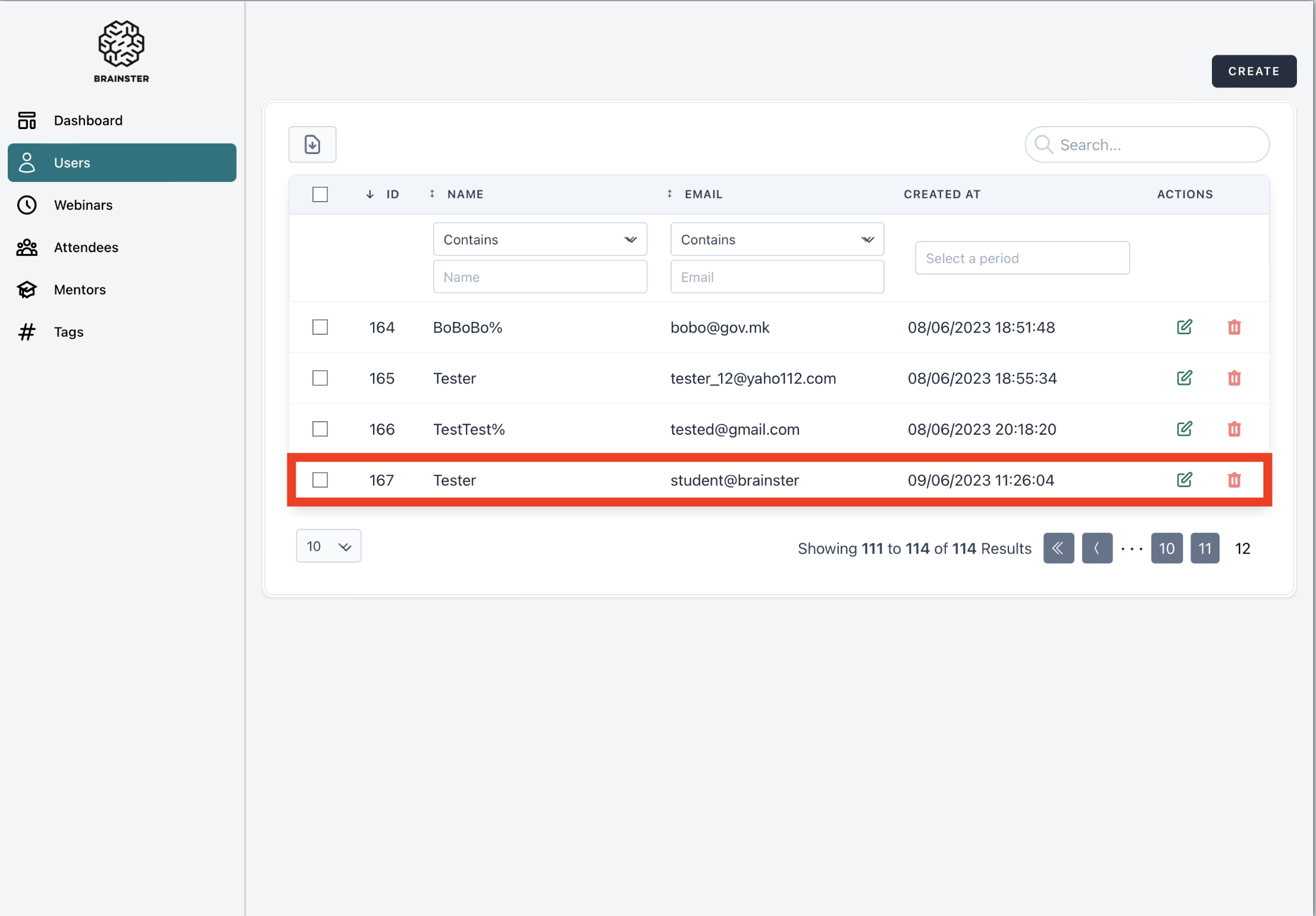
open[Users] The user is able to create a “User” with email address with invalid domain in the "Email" input field
Start date:
06/09/2023
Due date:
% Done:
0%
Estimated time:
Description
Environment:
- URL: https://qainterrapt.brainster.xyz/login
- OS: iPadOS 16.4
- Browser: Safari 16.5
- Device: iPad Pro (12.9”)
- Screen size: 1366x1024
- Zoom level: 81%
- Log in
- Click on the "Users" option on the main navigation menu
- Click on the "Create" button
- Click on the "Name" input field
- Fill the "Name" input field with valid name
- Click on "Email" input field
- Fill the "Email" input field with email address with invalid domain (e.g. student@brainster)
- Click on "Password" input field
- Fill the "Password" input field with valid password
- Click on the "Create" button
Expected Results: The user should not be able to create a user with email address with invalid domain in the "Email" input field. An error message should be displayed on the screen.
Actual Results: The user is able to create a user.
Files
Actions