Bug #520
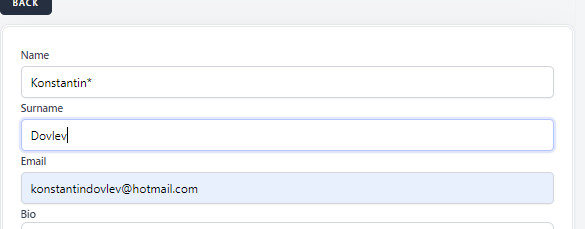
open[Mentor] User is able to input special caracter "*" in name field
0%
Description
Environment
Google Chrome Version 114.0.5735.110 (Official Build) (64-bit)
Description
Precondition
User must be registered on the platform
Steps to reproduce
1.Open browser
2.Navigate to url(https://qainterrapt.brainster.xyz/webinars/create)
3.Log in with existing account( email:[email protected] password: *)
4.Click on Mentor icon from the left side menu
5.click on upper corner black marked "Create" button
6.click on the name empty field
7.write your first name(Konstantin*)
8.click on the surname empty field
9.write your last name(Dovlev)
10.click on email field
11.write the email address in valid form)(konstantindovlevhotmail.com)
12.click on "Bio" field
13. input data with length between 20 and 300 letters (KonstantinKonstantin)
14.click on Occupation field with
15.Input data in Occupation field with length between 5 and 25 letters(Programer)
Expected result
User should not be able to input asterix in name field , warning message should be shown
Actual results
User is be able to input asterix in name field
Files