Bug #561
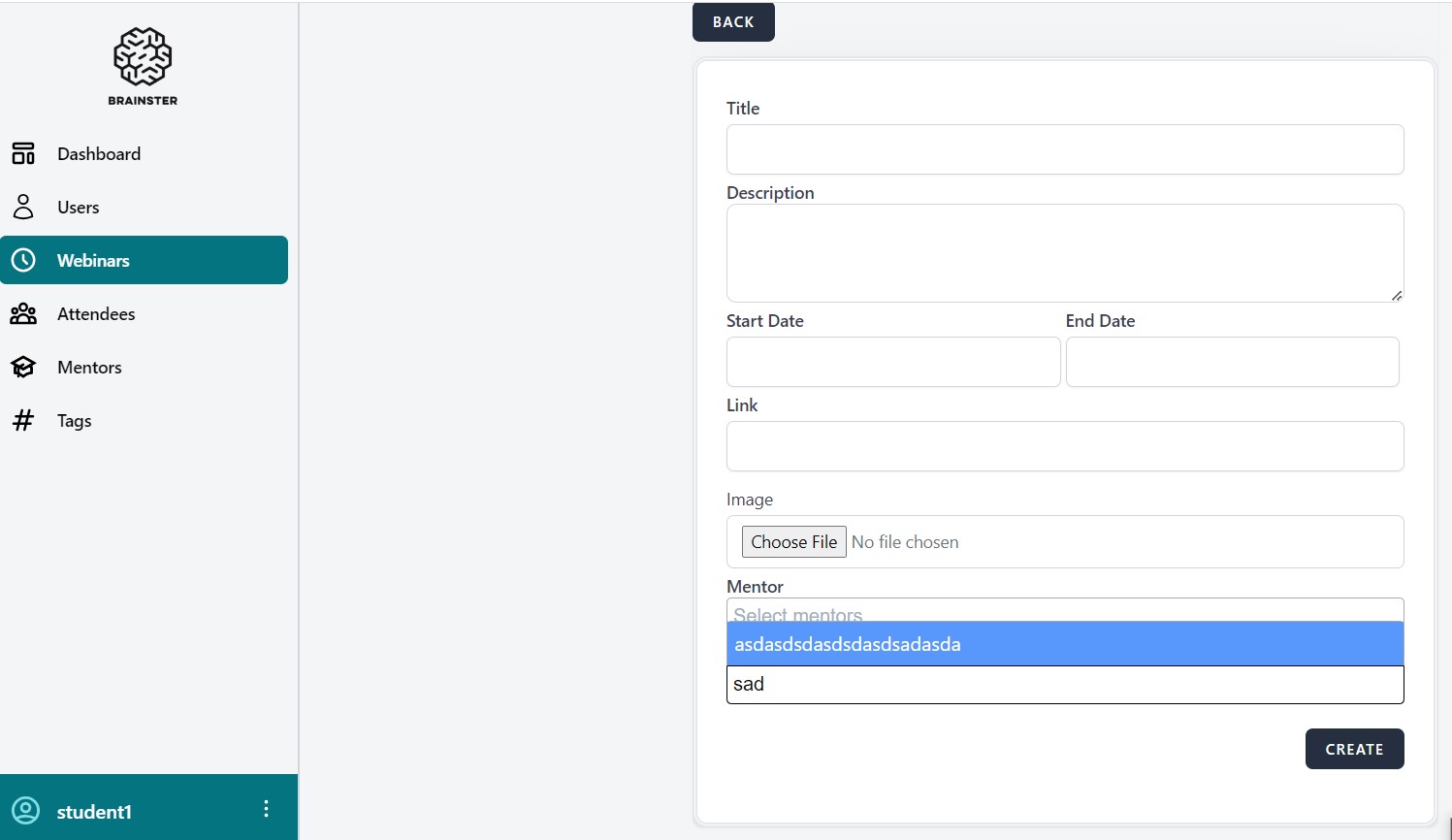
open(Webinars) The user can type to the tag's drop-down field
0%
Description
Description
Environment : https://qainterrapt.brainster.xyz / Browser: Google Chrome
Preconditions :
1. User is logged into the system.
2. User has navigated to the Create Webinar page section.
3. User has navigated to the Tag Field.
4.Tags have been created in the Tags functionality.
Steps to Reproduce :
1. Click on the Tag drop-down field.
2. Position the cursor in the field.
3. Attempt to type in the field.
Expected Result :
1. The Tag drop-down field should be activated and the list of available options should be displayed.
2. The cursor should be positioned in the Tag drop-down field.
3. User should not be able to type any characters in the field and the field should not accept any input from the keyboard. The only way to select a Tag should be to choose an option from the list.
Actual Result :
1. The Tag drop-down field is activated and the list of available options are displayed.
2. The cursor is positioned in the Tag drop-down field.
3. User is be able to type any characters in the field.
Files