Actions
Bug #623
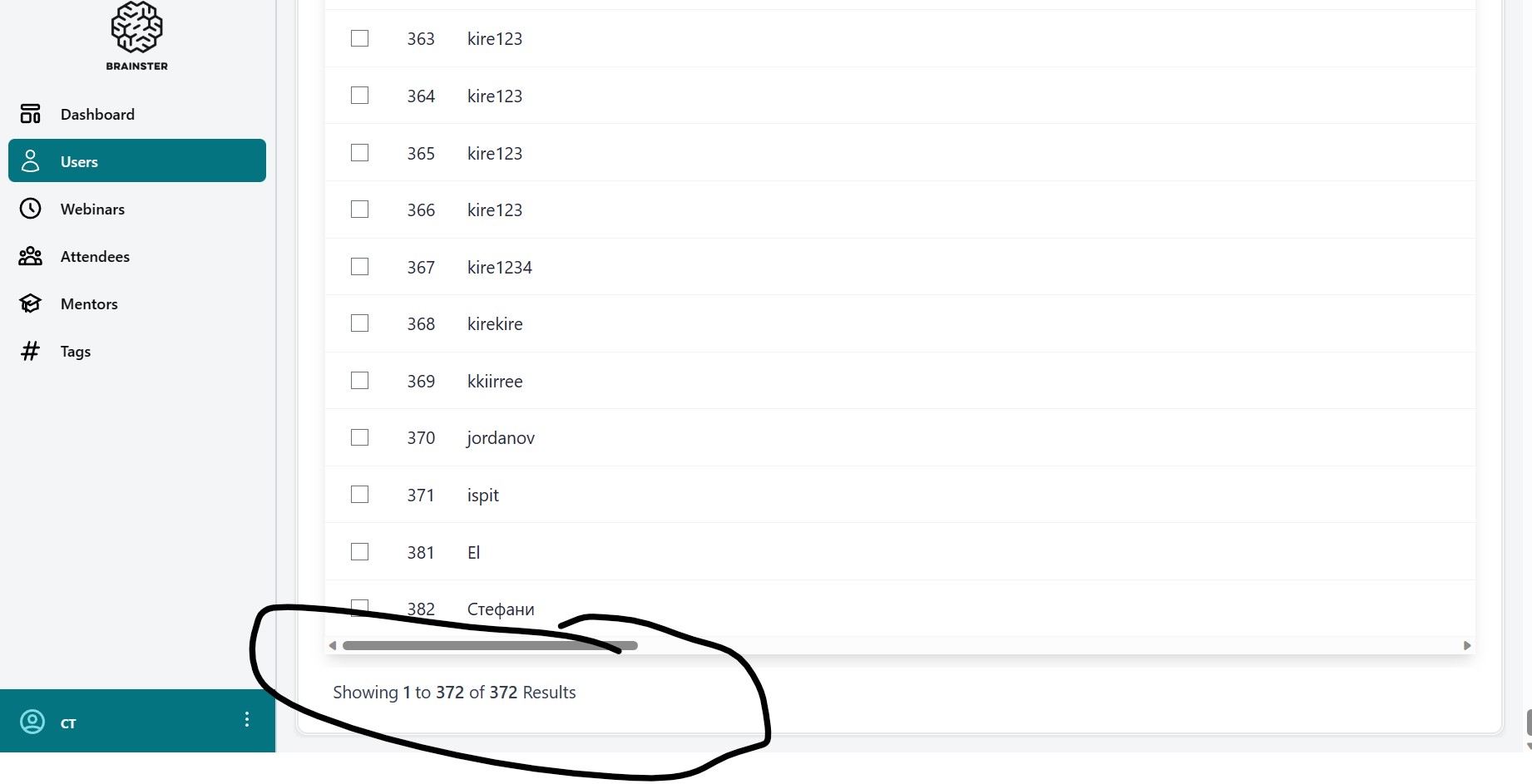
open[Users] The users is not able to change from seeing all users back to seeing 10-25-50 or 100 users
Start date:
06/14/2023
Due date:
% Done:
0%
Estimated time:
Description
Description
Environment : - Version of OS – Microsoft Windows 11 Home
- Browser – Microsoft Edge Version 114.0.1823.43 (Official build) (64-bit)
Precondition
-User must be logged in
Steps to reproduce
1. Open Microsoft Edge
2. Navigate to https://qainterrapt.brainster.xyz/login
3. Log in with valid credentials
4. Select users
5. Scroll down to the bottom of the page
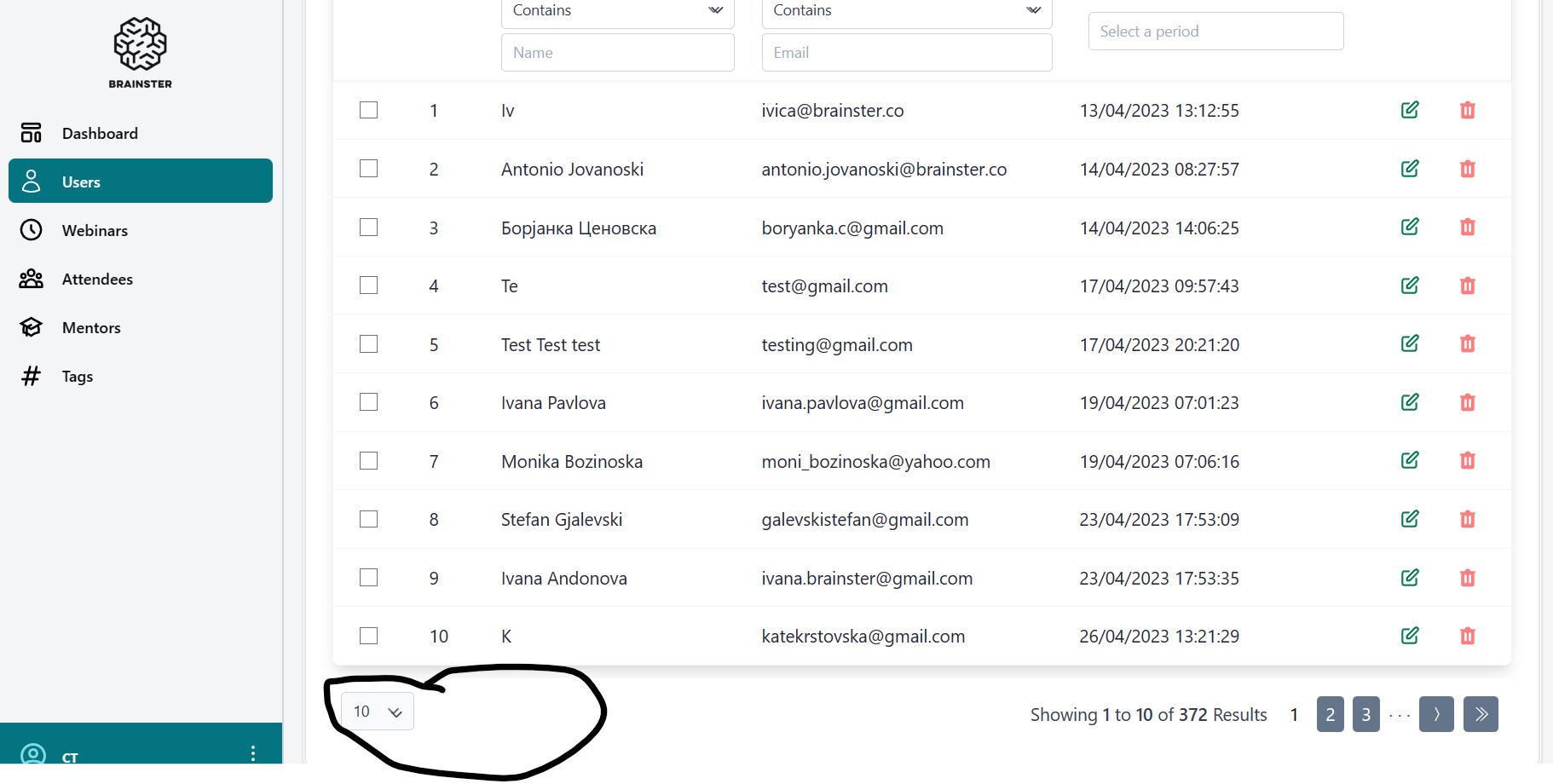
6. Click on the arrow next to the number 10 below the ID numbers and select all
Expected results
User should be able to change from view all back to 10, 25, 50 or 100
Actual results
There is no option for user to change from All back to 10, 25, 50 or 100
Files
| Bug report 3.jpg (116 KB) Bug report 3.jpg | |||
| Bug report 5.jpg (187 KB) Bug report 5.jpg |
Updated by Andon Petrovski almost 3 years ago
- Priority changed from Medium to Low
Updated by Andon Petrovski almost 3 years ago
- Subject changed from [Users] The users is not able to change from seeing all users back to seeing 10-25-50 or 100 to [Users] The users is not able to change from seeing all users back to seeing 10-25-50 or 100 users
Actions