Actions
Bug #2451
open[Attendees] Dysfunctional download button.
Start date:
06/10/2024
Due date:
% Done:
0%
Estimated time:
Description
Description:
When a user selects to download some webinar, in some(not all) the webinar download attempt is not successful.
Environment:
Google Chrome Version 125.0.6422.142 (Official Build) (64-bit)
Windows 10 Pro
Platform:
Samsung Galaxy S8+
Android 9.0
Steps to reproduce:
1.Navigate to Interrupt web page.
2.Log in with valid credentials.
3.Click on the menu item.
4.Click on the attendees page.
5.Click on the checkbox to selected a webinar.
6.Click on the download button.
7.Select from dropdown filed whether you want in csv or excel file.
Expected result:
When selected a webinar, it should be successfully downloaded.
Actual result:
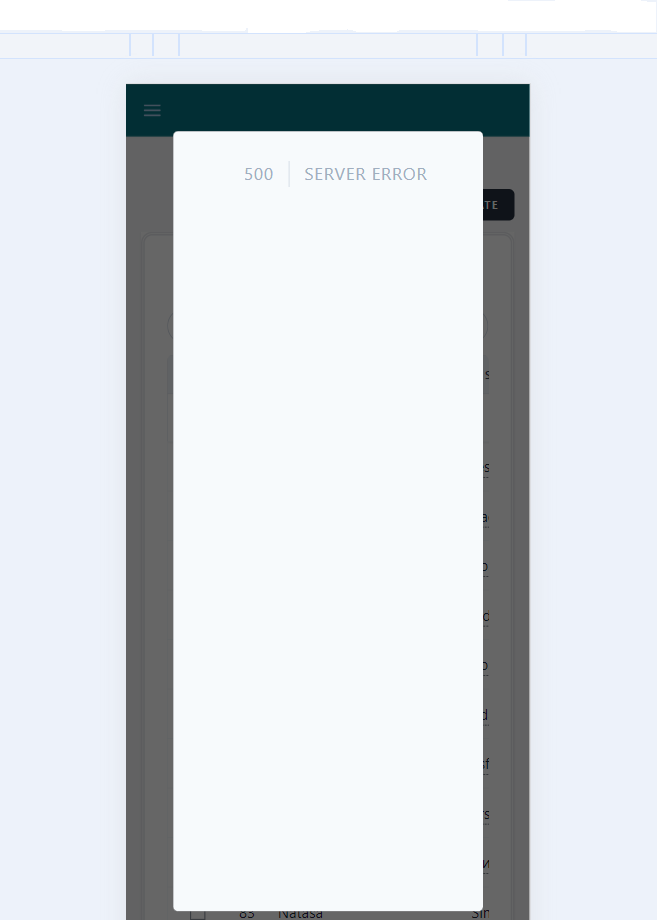
When selected a webinar , a blank tab is shown with the following message "500 SERVER ERROR".
Files
Updated by Bisera Cvetkova about 2 years ago
- Subject changed from Dysfunctional download button. to [Attendees] Dysfunctional download button.
- Description updated (diff)
Updated by Bisera Cvetkova about 2 years ago
- File deleted (
download webinar.png)
Actions